
Ask the launcher.
PK Assistant is in the launcher today, with the AI provider you choose or a model on your own PC. Next, the launcher becomes an MCP server, so the AI apps you already use can drive it. Anything risky waits for your yes.
Your model. Your keys.
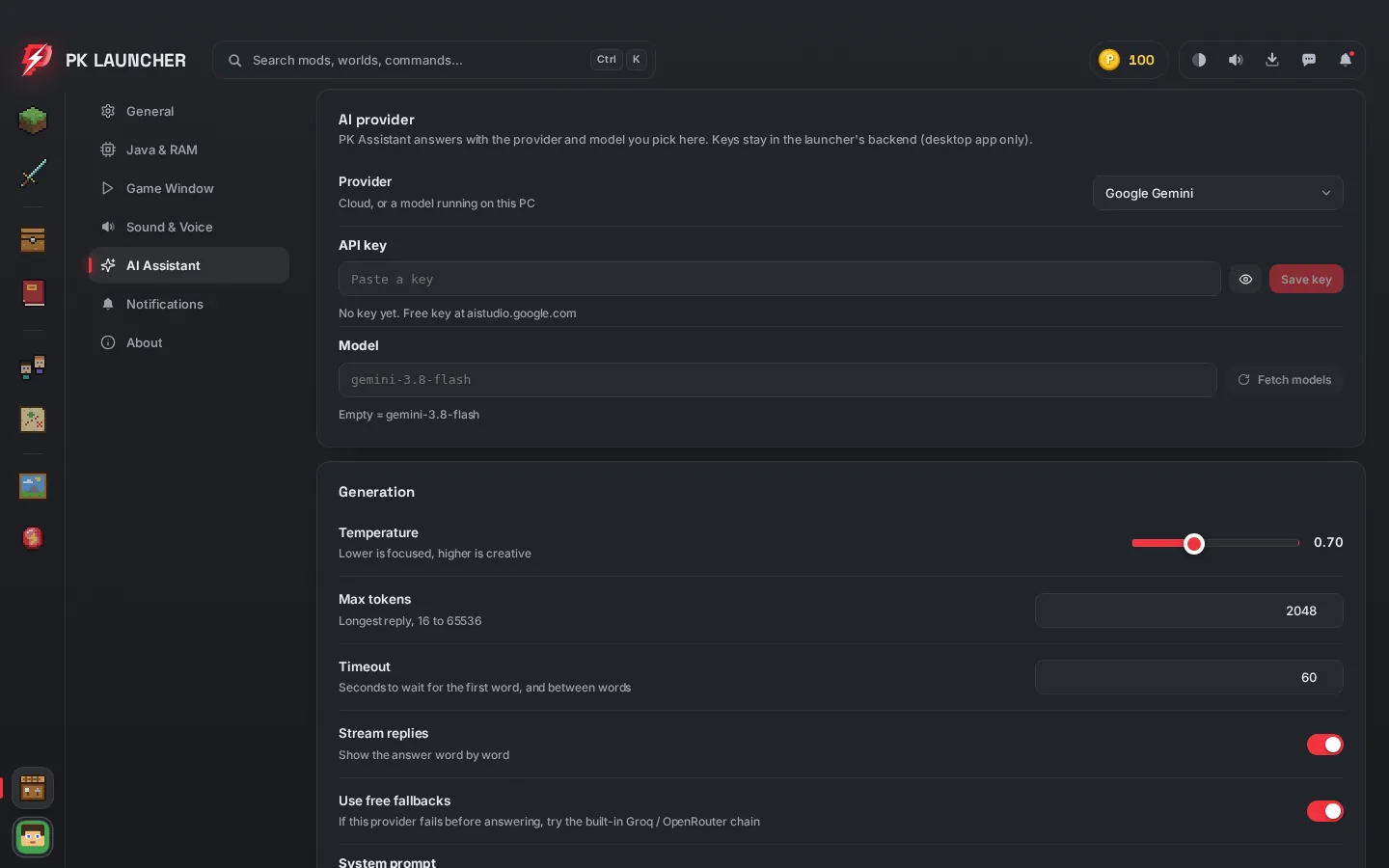
Pick one provider, its model, temperature and limits in Settings › AI Assistant.
- Gemini
- OpenAI
- OpenRouter
- Anthropic
- Groq
- Ollama
- LM Studio
- Any OpenAI-compatible URL
- Keys
- Kept only by the launcher's backend, never in the page. On Windows they're encrypted with DPAPI for your user account.
- No keys at all
- Run a model on your own PC with Ollama or LM Studio.
- Voice
- Dictate with local Whisper speech-to-text, with a microphone picker and a live level meter.
Drive it from Claude or Cursor.
PK Launcher will speak the Model Context Protocol. Turn it on in Settings › AI › MCP and any MCP client can list your instances, find mods on Modrinth, read a crash report or switch your theme.
- Off by default
- Nothing listens until you switch it on.
- This PC only
- Binds to
127.0.0.1, refuses other origins and needs a bearer token. - Token shown once
- Sealed on disk (DPAPI on Windows). After you leave the page, only its last four characters show.
- Approval first
- Deleting, stopping, removing, launching and joining open a sheet in the launcher. No answer in 2 minutes means no.
Try the approval sheet
Delete instance
“Old Survival 1.20.1” and its worlds
A demo on this page. In the launcher it waits up to 2 minutes, then answers no.
{
  "mcpServers": {
    "pk-launcher": {
      "command": "C:\\Users\\you\\AppData\\Local\\PK Launcher\\PK Launcher.exe",
      "args": ["--mcp"]
    }
  }
}
claude mcp add --transport http pk-launcher http://127.0.0.1:47821/mcp --header "Authorization: Bearer <token>"
20 tools. The locked ones ask first.
Instances
- list_instances
- create_instance
- delete_instance
Play
- launch_instance
- stop_instance
- list_running
Content
- search_modrinth
- install_project
- list_mods
- enable_mod
- disable_mod
- remove_mod
Troubleshoot
- read_game_log
- read_crash_report
Settings
- get_launcher_settings
- set_launcher_settings
Servers & look
- list_servers
- join_server
- list_themes
- switch_theme
Launching still needs your Microsoft account. launch_instance and join_server refuse offline and third-party accounts. MCP never becomes a way to play without owning Java Edition.
Packs on request. Crashes explained.
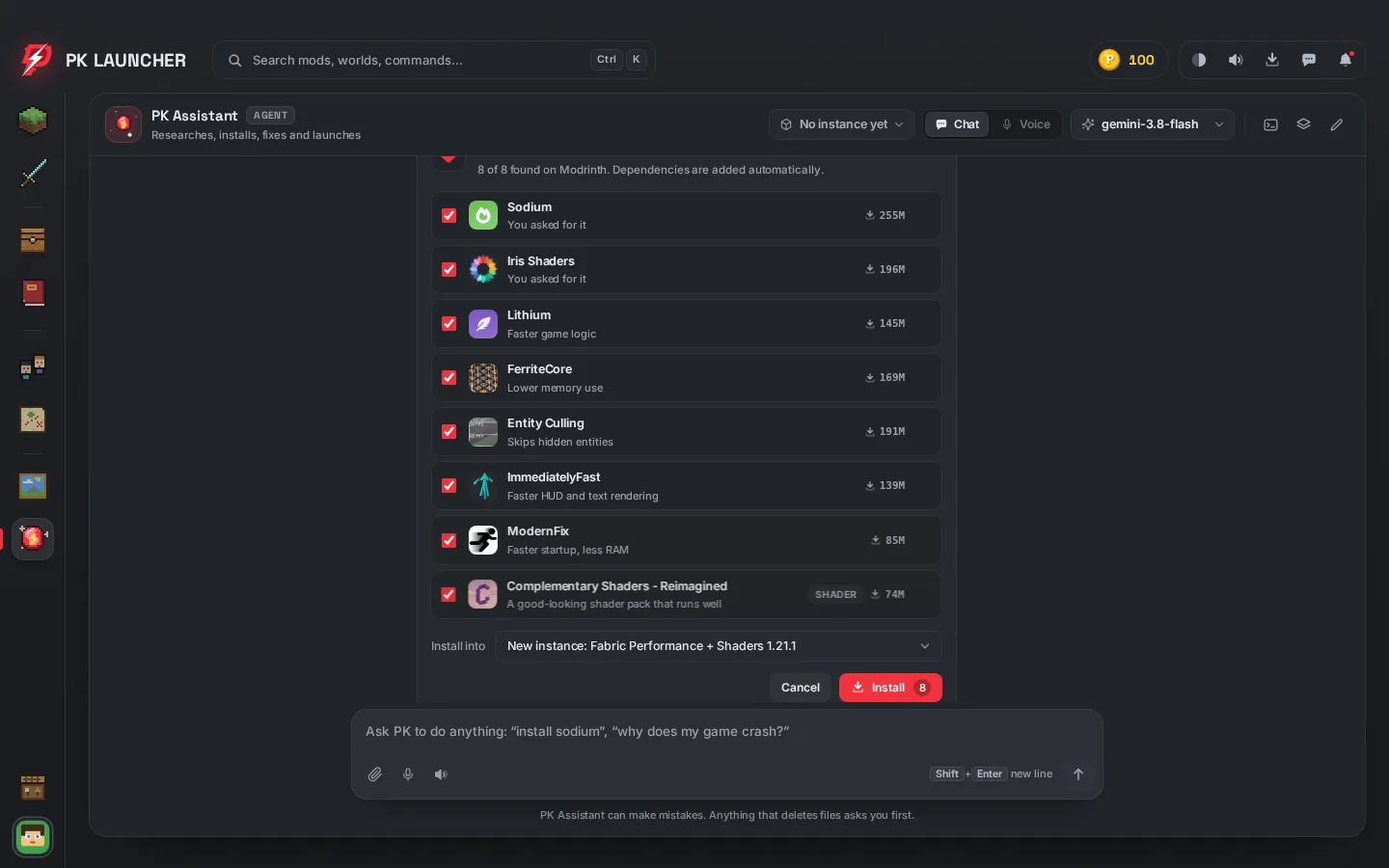
- Plan from your words: performance, shaders, maps, quality of life, or named mods.
- Resolve each mod on Modrinth for your version and loader.
- Approve the list, with icons and download counts, and pick the instance.
- Install with live progress, then Launch.
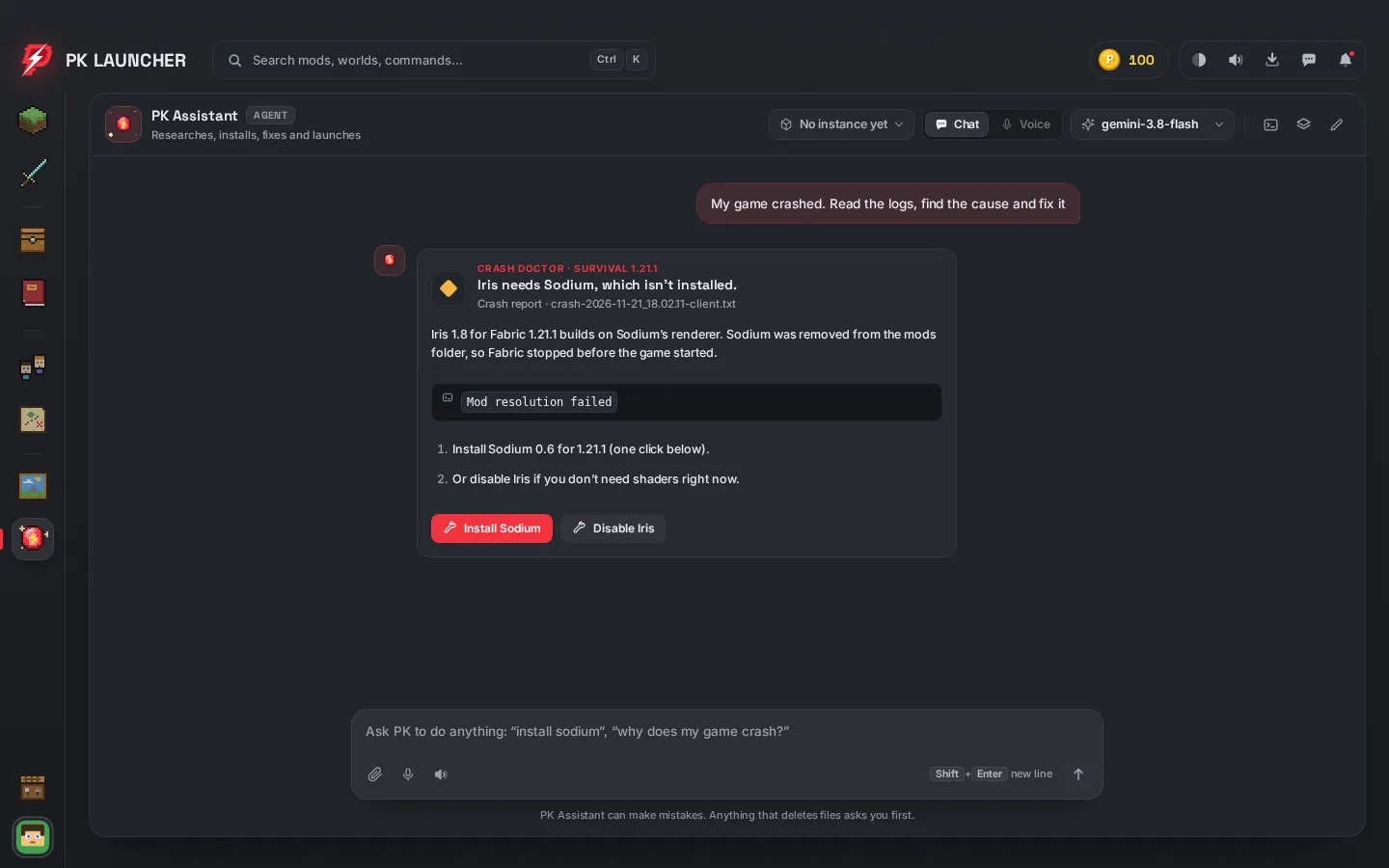
- Read the newest crash report, or the log if there isn't one.
- Explain the cause: out of memory, wrong Java, a missing dependency, a mixin failure or a suspect mod.
- Fix in one click: install the dependency, disable the mod, or raise RAM.