
Everything in the box.
Five chapters, one launcher. Everything on this page is in PK Launcher 1.4.0 for Windows. The few things still being built are marked Coming soon
01
More FPS. Honestly measured.
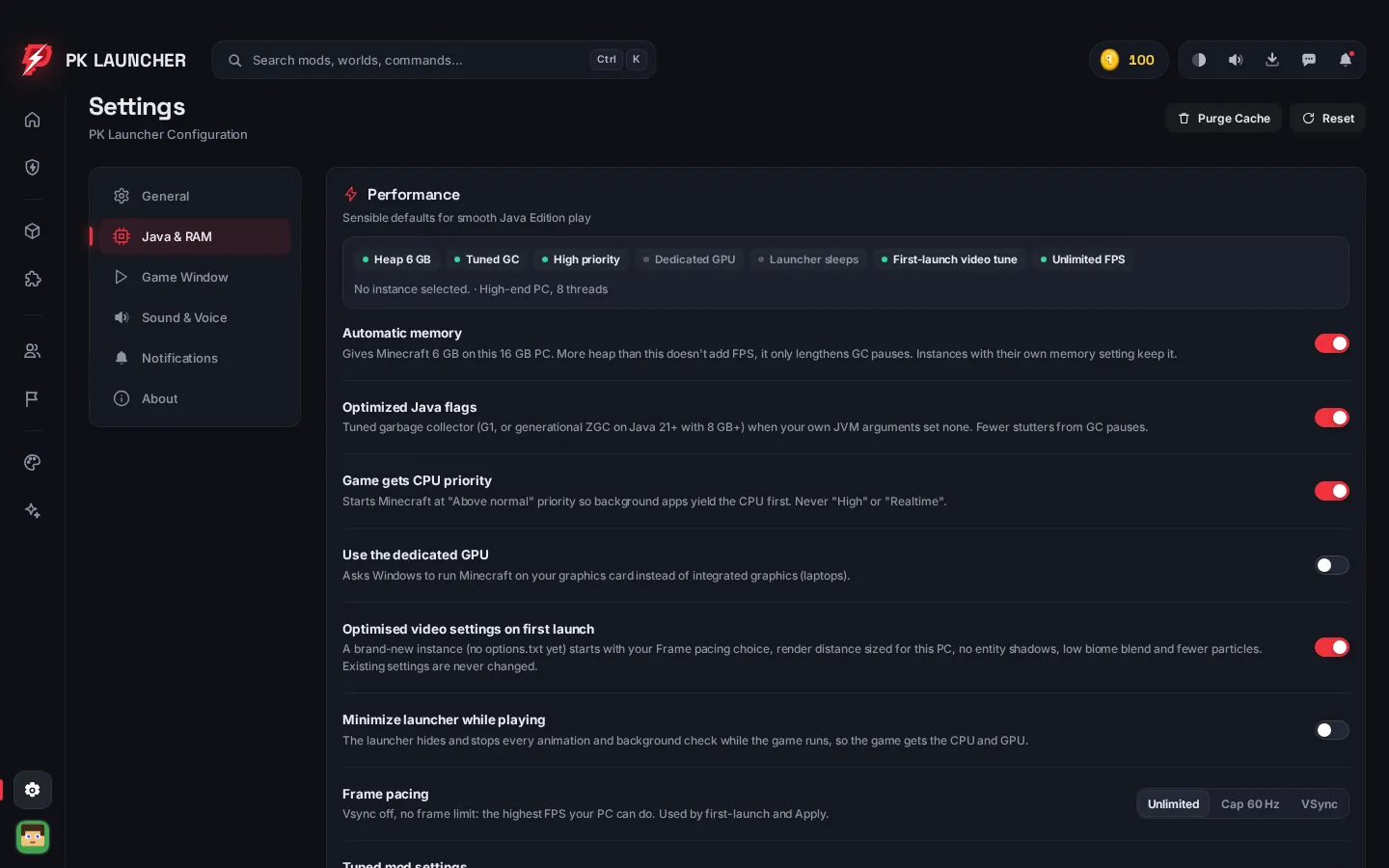
One click on Boost FPS adds the right performance mods for your exact version and loader. Every mod is checked against Modrinth first, there is one mod per job, and anything that clashes with what you already have is skipped. The toast tells you why.
- Sodiumrenderer
- Sodium Extrareal FPS counter
- Lithiumgame logic
- FerriteCorememory
- ModernFixstartup & memory
- ImmediatelyFastHUD & text
- Entity Cullinghidden entities
- More Cullinghidden faces
- BadOptimizationssmall CPU wins
- ScalableLuxlighting
- C2MEworld generation
- Kryptonnetworking
- Dynamic FPSidles when tabbed out
- OptiFinealready installed: clashes with Sodium, skipped
On Forge or older NeoForge, Embeddium stands in for Sodium. Where C2ME can't go, Noisium does. A vanilla instance is never touched: you get a separate “Boosted” Fabric copy.
› Frame pacing — pick one
Unlimited is the default: the game draws as fast as it can.
Cap at your display's refresh rate, measured by the launcher. VSync stays off and frame times stay even, so there is less stutter.
VSync locks to the display for zero tearing, at the cost of a little input delay.
- Memory
- Sized automatically from your PC's RAM, with tuned Java GC flags when your own JVM arguments set none.
- Java runtime
- Azul Zulu by default, or Eclipse Temurin or GraalVM Community, downloaded for the instance's Java version.
- Graphics engine
- OpenGL by default. Vulkan on 26.2+ through the game's own setting, or a separate VulkanMod copy on older versions. Experimental, needs a Vulkan 1.2 GPU, no shaders.
- CPU priority
- On Windows the game starts at “Above normal”, so background apps give way. Never High or Realtime.
- First launch
- A brand-new instance starts with sensible video settings for your hardware. Existing settings are only changed when you press Apply optimised settings.
02
New worlds in two clicks.
Pick a version, then how you want to start. Each version's own update artwork sets the scene, and the name is optional.
Detected on this PC
A read-only scan finds the installs you already have. Import & play in one click, or recreate the same setup fresh.
- Vanilla launcher
.minecraft - TLauncher
- Prism Launcher
- MultiMC
- CurseForge
- Modrinth App
- ATLauncher
- GDLauncher
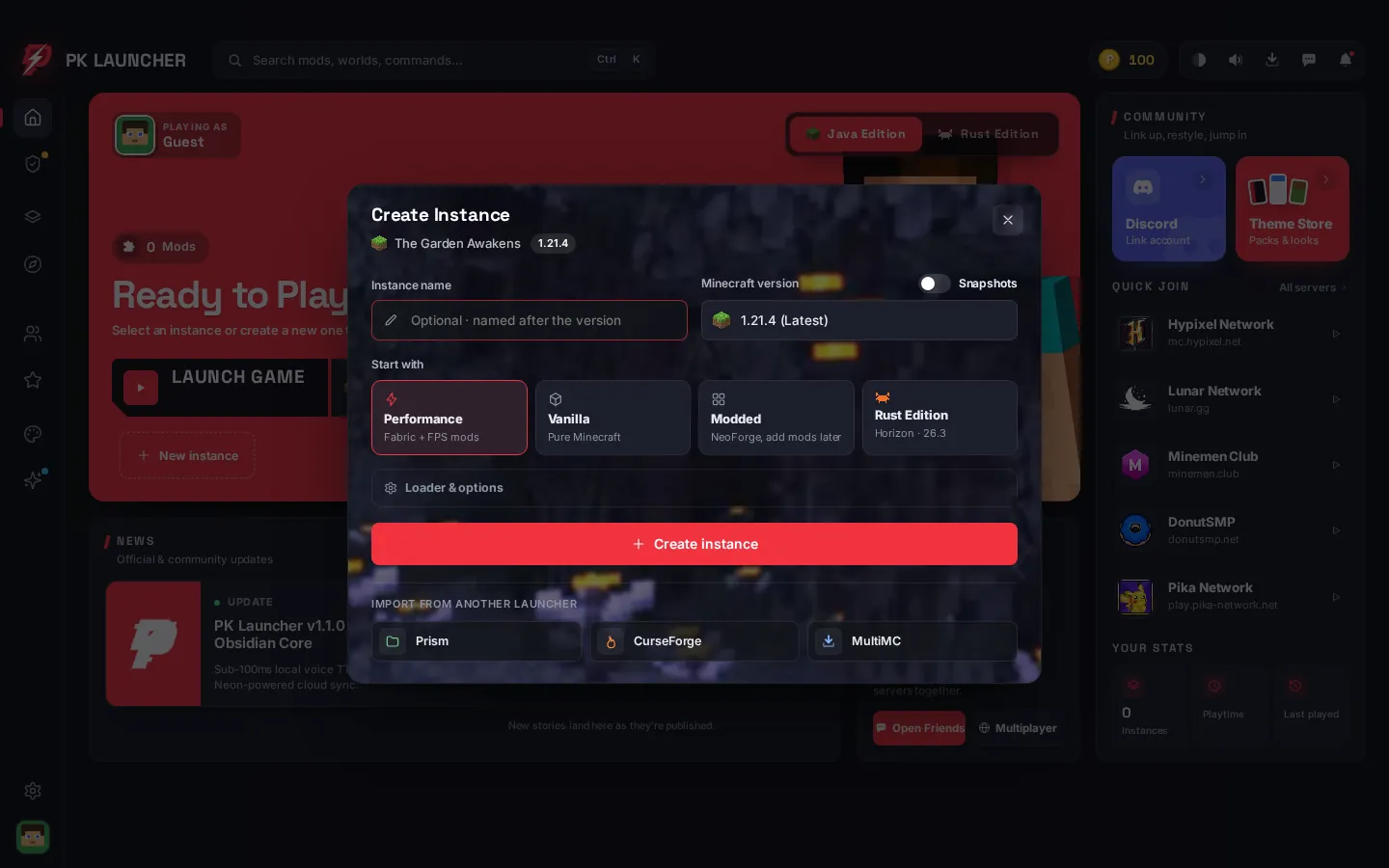
Loaders: Fabric, Forge, NeoForge, Quilt and Vanilla.
03
An assistant that fixes things.
Ask “why does my game crash?” or “install Sodium”. PK Assistant inspects your instance, reads the live console, proposes a plan and installs mods from Modrinth with their dependencies. Every step shows on a timeline.
- You
My game crashes when I join my world.
- Read
Instance settings and installed mods.
- Read
The live game console.
- Plan
Shows what it wants to change, before it changes it.
- Install
The mod from Modrinth, plus its dependencies.
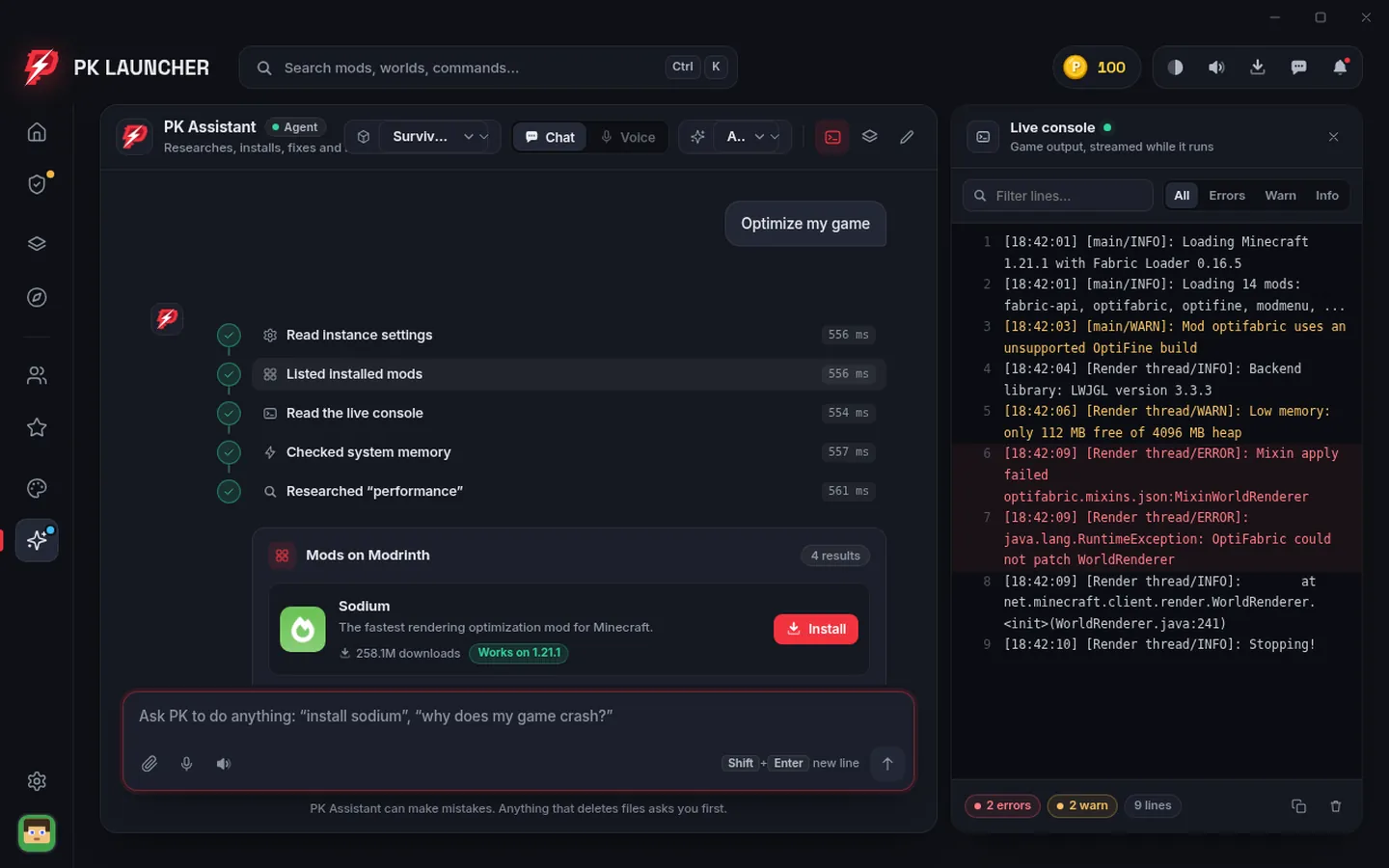
An outline of the agent's steps, not a recorded conversation. Providers, keys and the MCP server →
04
Your skin. Your stats.
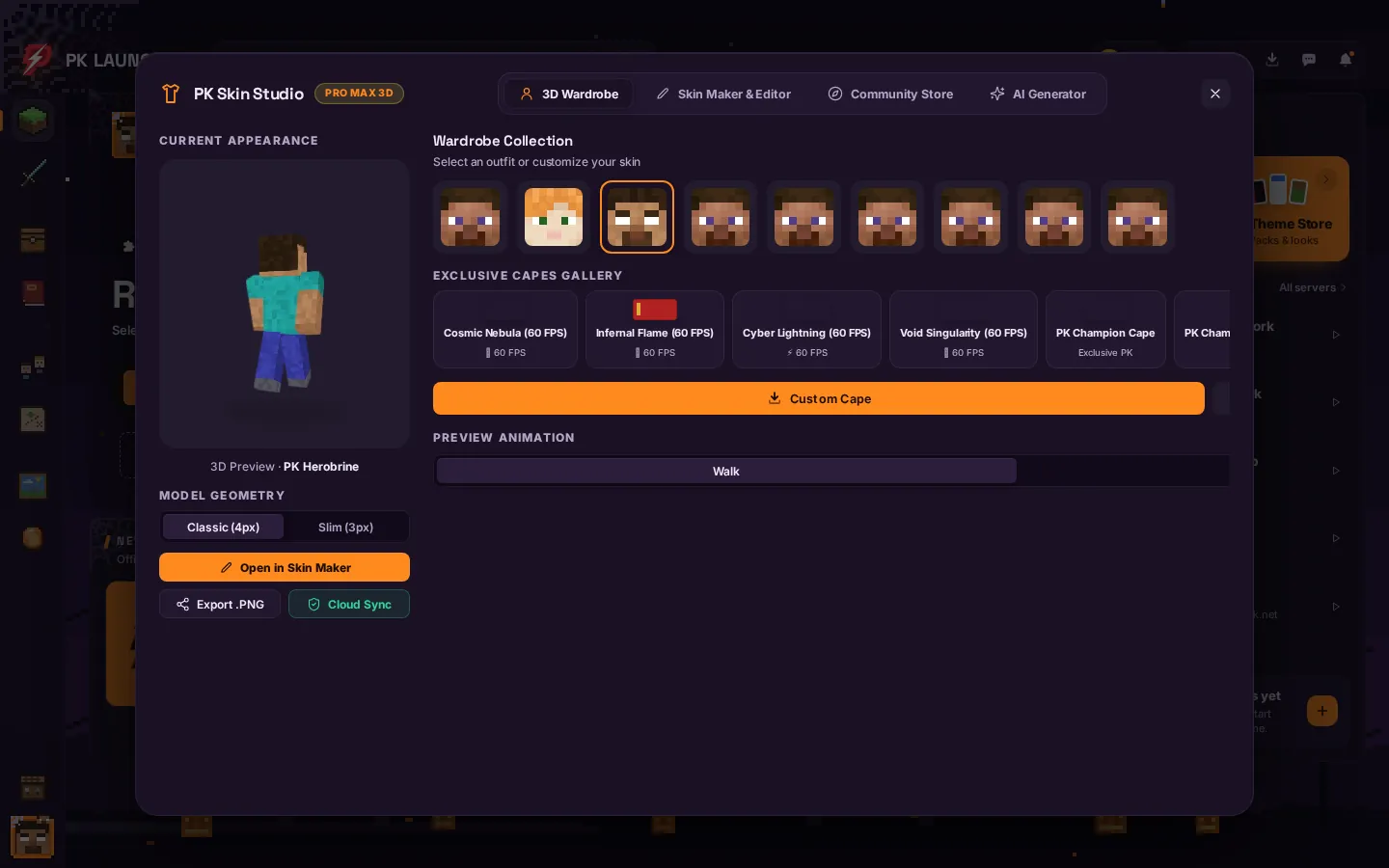
3D skin studio
Preview skins and capes in 3D, switch classic or slim arms, and wear the original PK Herobrine skin.
Stats & quests
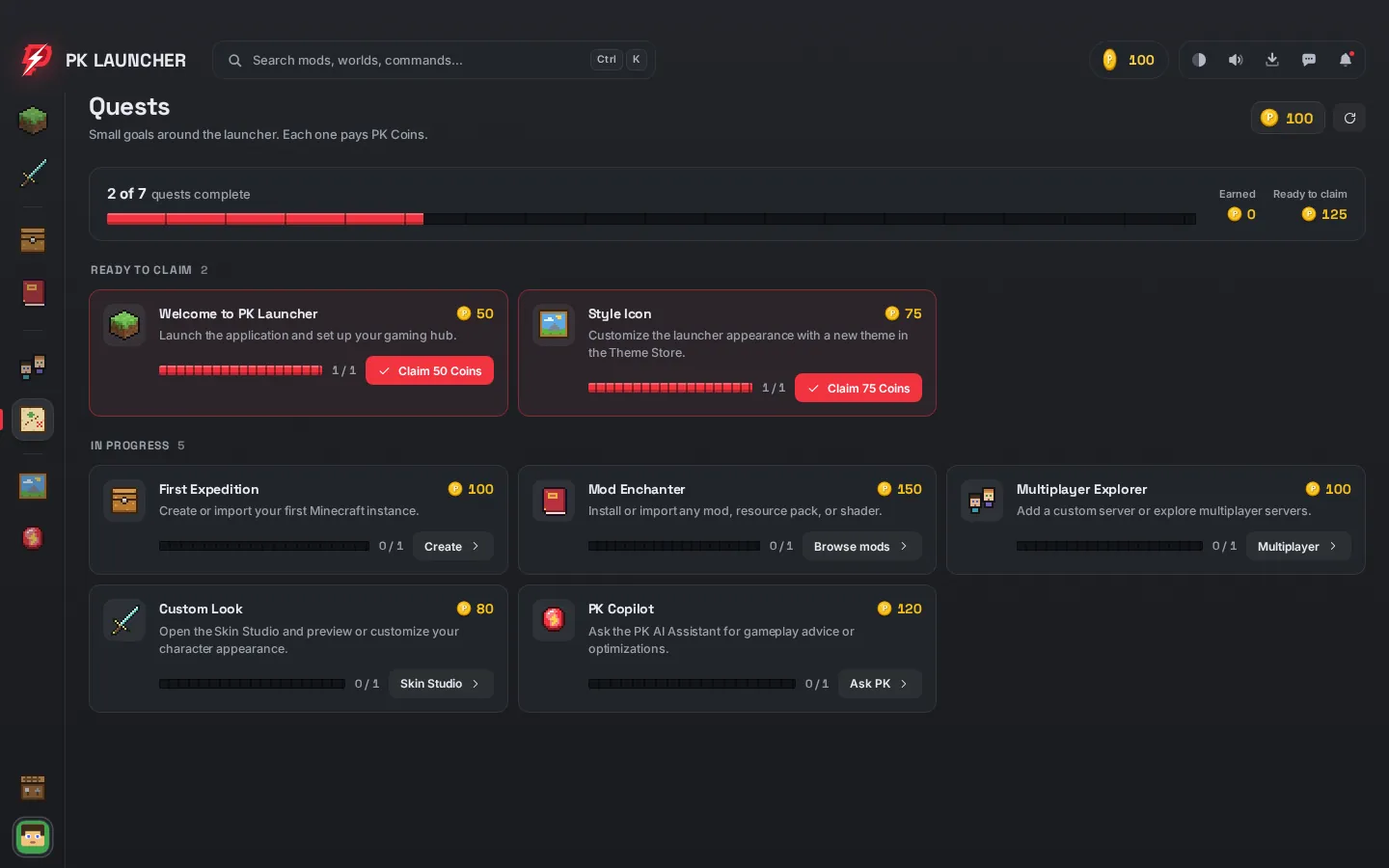
Total playtime, a 7-day chart from launches recorded on this PC, your last played instance, and a quest board that pays out PK coins. Notifications keep one history.
05
Calm by design.
- Sleeps while you play
- Animations, music and background polling pause while a game runs. The launcher can minimise itself too.
- Reduce motion
- One switch stops decorative animation and blur. It follows your system setting.
- Quiet sounds
- Subtle synthesized UI sounds, silent while a game runs.
- Self-updating
- Checks, downloads and verifies updates in the background, then restarts when you say so.
- Feels like an app
- No browser menus or devtools in release builds.
Coming soon
In the next update
- Report a bug from inside the launcher with Ctrl+Shift+B. The report is cleaned of tokens, keys, emails, paths and IPs before you save, copy or send it.
- A faster start. Startup JavaScript drops from 1.25 MB to 734 KB, with a new splash and loading screens.
- 538 of 538 tests passing after a bug sweep.