
Ping it for real.
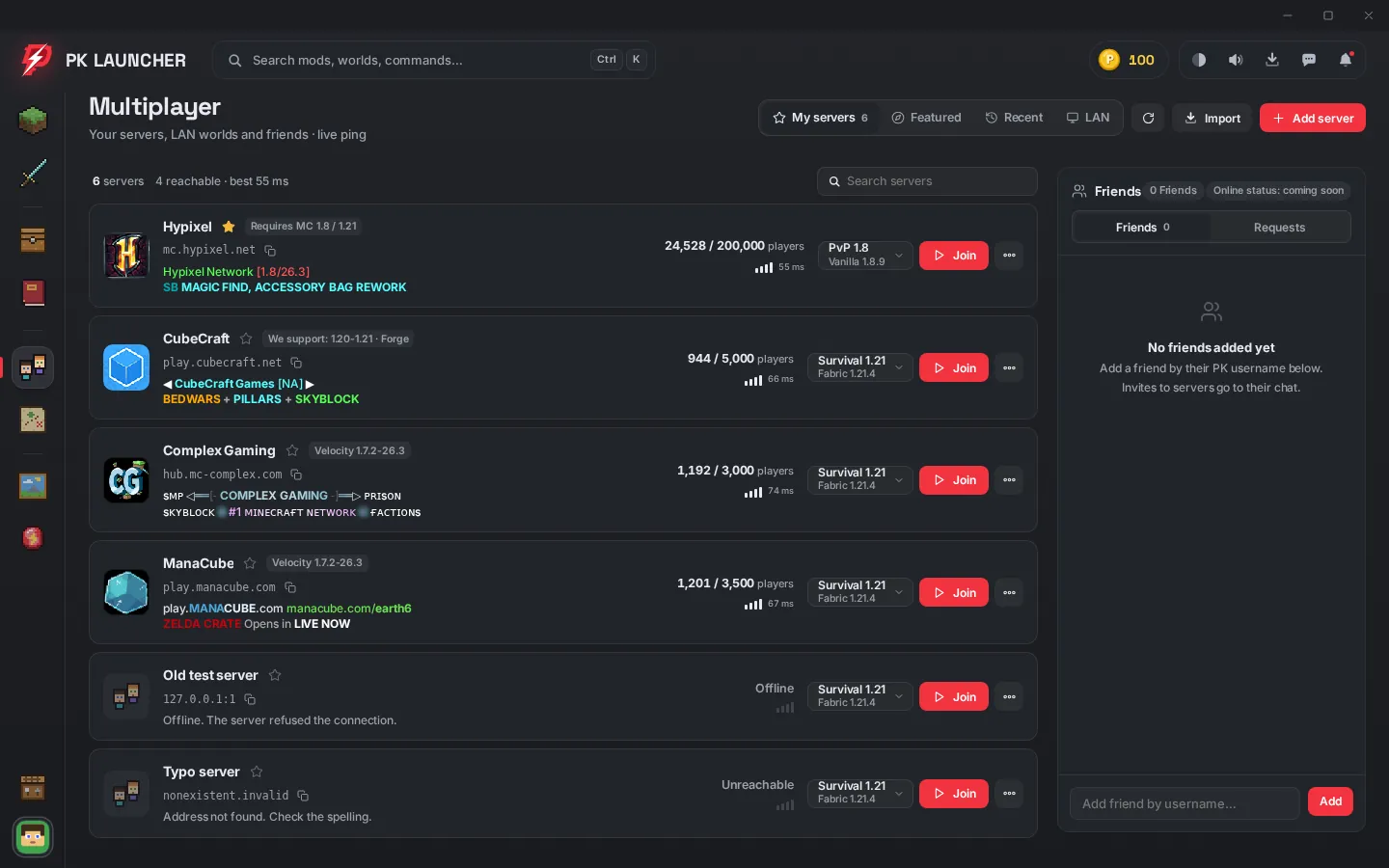
Today the launcher has My servers, Featured and Recent with live player counts, Quick Join from home, and friends. A rebuilt server browser is being tested now. Here is what's in it, written as a server list.
Multiplayer features as a server list
- Real Server List PingSoon
Looks up SRV records, speaks the 1.7+ protocol and falls back to legacy ping. Latency, MOTD colours and icons, straight from Rust.
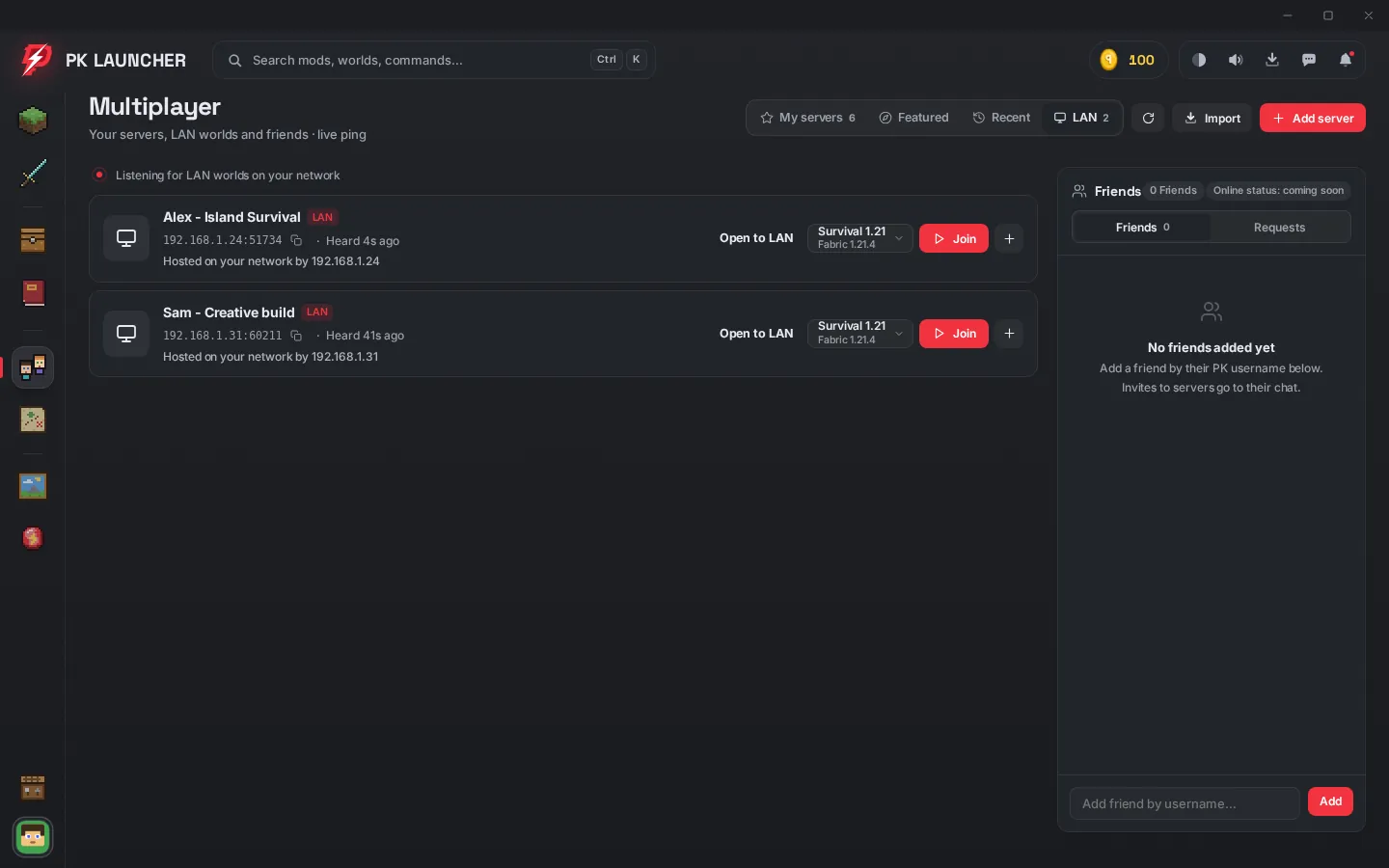
- LAN worldsSoon
Finds worlds opened to LAN on your network. Listens only while the LAN tab is open, then stops by itself.
- One-click JoinSoon
Launches the instance you picked and drops you on the server. Online-mode servers still need your normal sign-in.
- Import servers.datSoon
Pick an instance and choose which of its in-game servers to bring in. Ones you already saved are skipped.
- Version hintsSoon
A “Needs 1.21.4” chip, only when the server really needs a different version than your instance.
- Add with a live previewSoon
Type an address and it pings as you type. host, host:port, IPv4 or [IPv6]:port.
- My servers, Featured, RecentNow
One place for your servers, with live player counts.
- Quick Join from homeNow
Your favourite servers sit right beside the Launch button.
- Friends & chatNow
Add friends, chat and send server invites. Online status is coming soon: nothing made up meanwhile.
LAN worlds, found.
When a friend opens a world to LAN, Minecraft announces it on your network. The new LAN tab listens for that, shows the world with its host, and forgets it 6 seconds after the last announcement.
- Shares the port
- It can listen alongside a running Minecraft.
- Stops by itself
- When you leave the tab, or 45 s after the page last asked.
- Sleeps
- The radar pauses while a game runs. Reduce motion stills it.
The new browser, in testing.
Still your account, still your game. Joining uses the normal launch path. Nothing on this page adds a way to play without owning Minecraft: Java Edition.
06 / Next slotAI & MCP →